TOKU CONTROL
A little control room
for your desktop.
Windows app · v0.3.0 · Free
Playback audio, an LCD clock, peak meters, and your Windows system and monitor information — together in a 1990s-style local console.
This early release is unsigned. Windows may show an unknown-publisher warning. Download from a source you trust. No installer or account is required. TOKU CONTROL runs without administrator privileges; optional administrator launches for supported tools use Windows UAC.
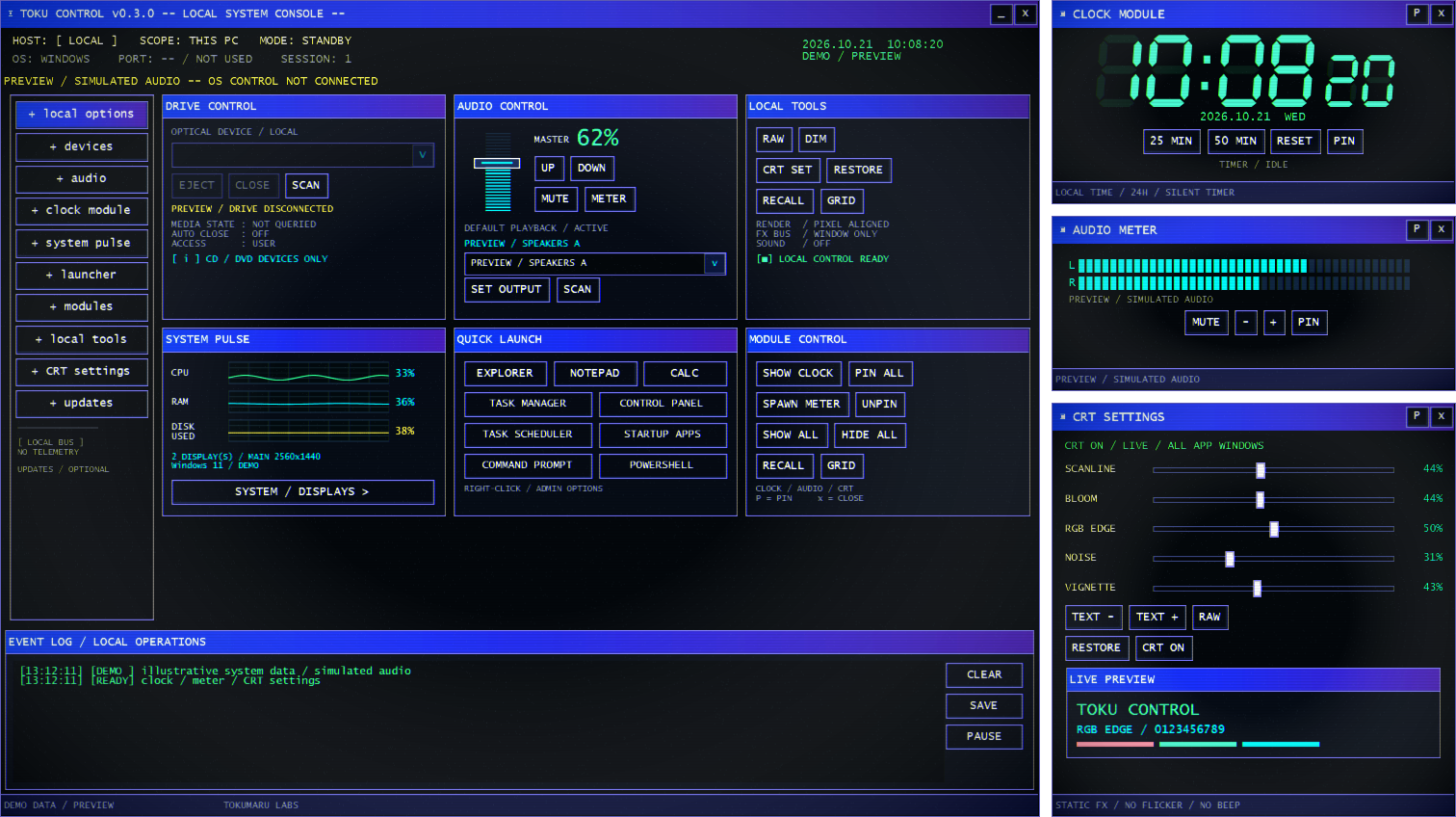
Your everyday controls, in one place
- Playback audio: adjust volume, mute, and explicitly switch the default playback output. The peak meter shows L/R where the device supports it.
- LCD clock: bold hours and minutes, small seconds, the date, and silent 25/50-minute timers.
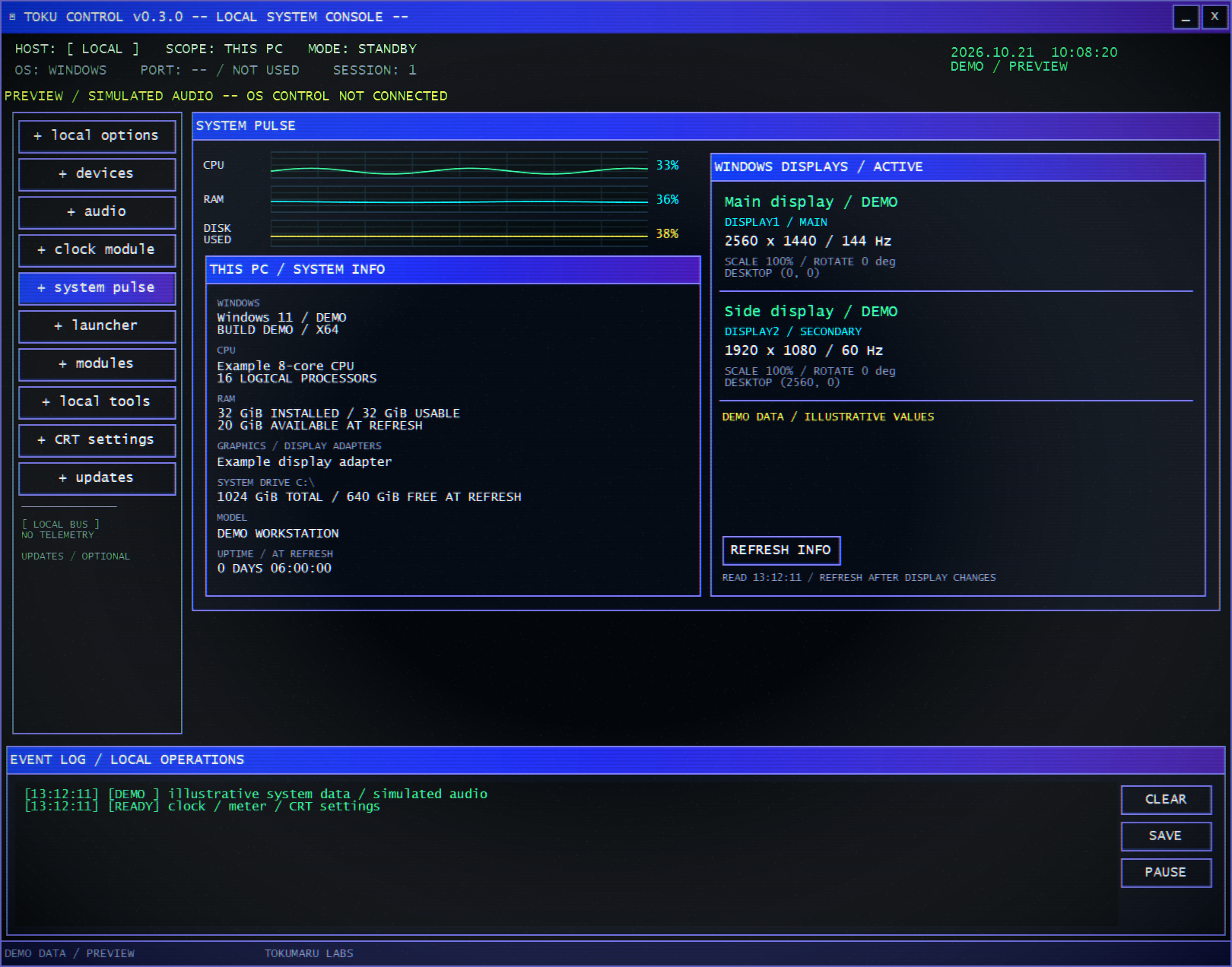
- System and displays: CPU/RAM history, drive capacity use, Windows and hardware details, and active monitor resolution, refresh rate and scale.
- Small windows that move together: SHOW ALL stacks the three modules beside the main window. Drag the main title bar to move visible modules with it.
- Quick Launch: Command Prompt and built-in Windows PowerShell join the seven existing shortcuts. Right-click a shell, Notepad, Task Manager or Task Scheduler (or press Shift+F10) and choose Run as administrator when needed. Windows handles UAC; cancelling keeps the console running.
- In-app updates (v0.3.0): A new stable version shows “New version available”. Choose YES / UPDATE to download, verify, update and restart, or LATER to keep working. Use + updates for manual checks and to turn startup checks off.
- CRT character: adjust scanlines, bloom, RGB edge, noise and vignette live. RAW turns the effects off.
Download, extract, start
- Download the Windows ZIPUse the download button above. The release also includes a SHA-256 checksum and matching application source.
- Extract the entire ZIPKeep the top-level TokuControl.exe, Update.exe, current folder and all other extracted files together.
- Run the top-level TokuControl.exeUse SHOW ALL to arrange the modules. Select an audio output, then press SET OUTPUT to change it. Closing the main window closes the application.
Updating from an older version
Version 0.2.3 and earlier need a one-time manual move: extract this ZIP into a new folder and start the top-level EXE. Your settings carry over; future releases can be installed from the app. Use a writable local folder, close other copies of TOKU CONTROL before updating, and keep personal files outside current/. You can cancel during download; a connection or checksum failure leaves the current version in place.
A few things to know
- The standard full arrangement is about 1512 × 848 logical pixels. Windows scaling affects the physical space needed; the main window can shrink in width. If there is not enough room, use modules individually.
- Output switching changes the regular playback defaults, not the microphone, Communications default or per-app output overrides. It uses an undocumented Windows interface, so compatibility may change with Windows updates.
- The audio meter is a peak meter, not a per-app mixer or a spectrum analyzer. DISK USED is storage capacity use, not disk activity.
- Optical-drive tray closing depends on the hardware. Mixed-DPI monitor moves and Windows snap/maximize dragging have not been exhaustively tested.
Local settings and source
The application has no accounts, remote-control server or application analytics. Update checks contact the public GitHub repository over HTTPS on startup by default; turn them off in + updates. Downloads start only after Yes. GitHub receives normal connection information such as your IP address; device/audio data and settings are not uploaded. Its settings stay in %LOCALAPPDATA%\TokumaruLabs\TokuControl\settings.json. Operation logs are exported only when you choose SAVE. The updater also writes local diagnostic logs without uploading them. Windows/.NET error reporting follows your OS settings and vendor terms.
Volume, mute and default-output changes remain in Windows after the app exits. To reset appearance and positions, exit and move settings.json aside. To remove the app, exit and remove the extracted folder.
Free software under GPL-3.0-only, with a limited permission for the bundled Microsoft .NET runtime. The runtime retains its own license terms.